AI chat app
Build your own AI chat app, like ChatGPT or Gemini
Your own AI assistant app with your name on it, built around your business. People chat, talk and send photos to an assistant that answers in their language. You choose the AI behind it, the assistants it offers and what it knows, and you earn from subscriptions and credits. Every conversation, every user and every payment is yours, run from one console.
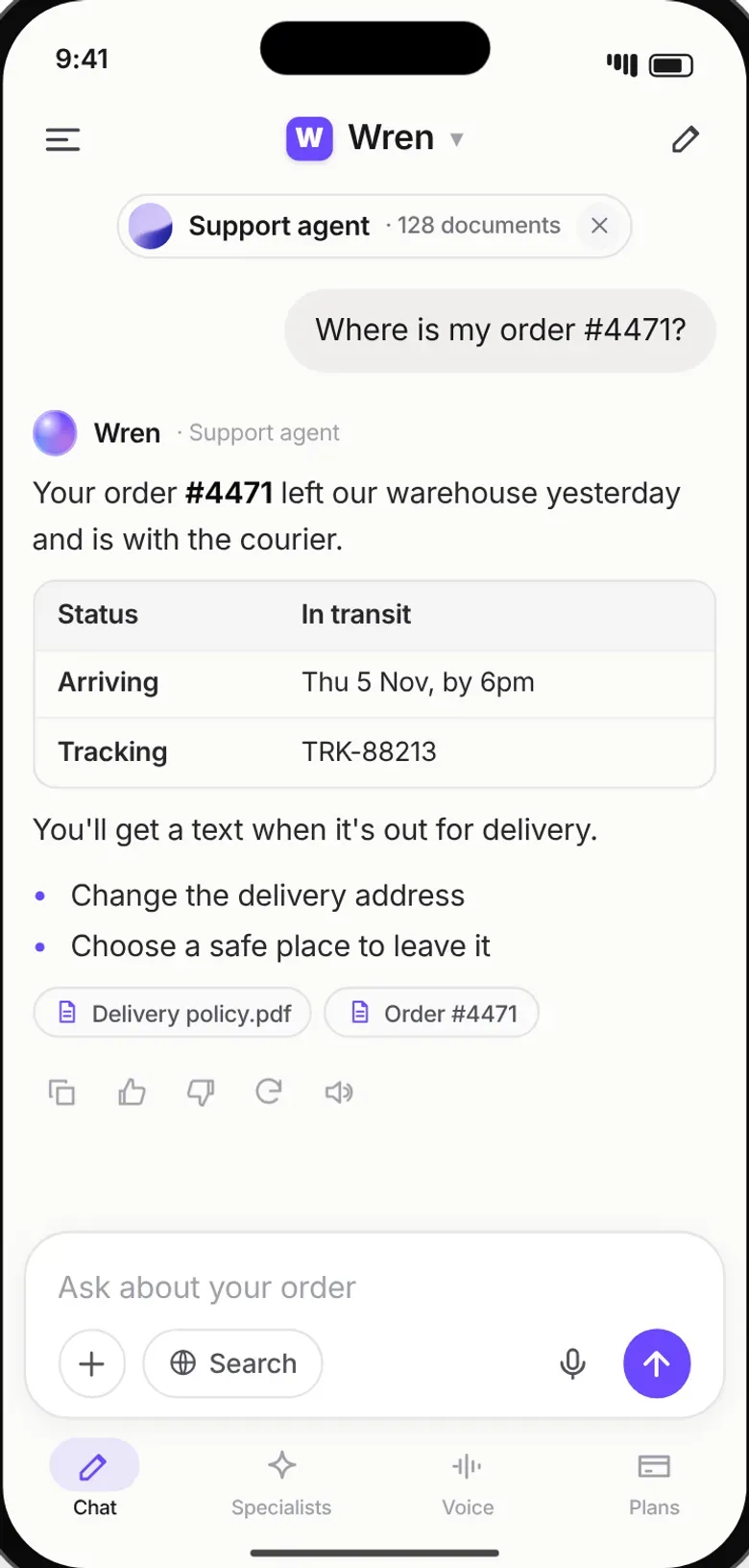
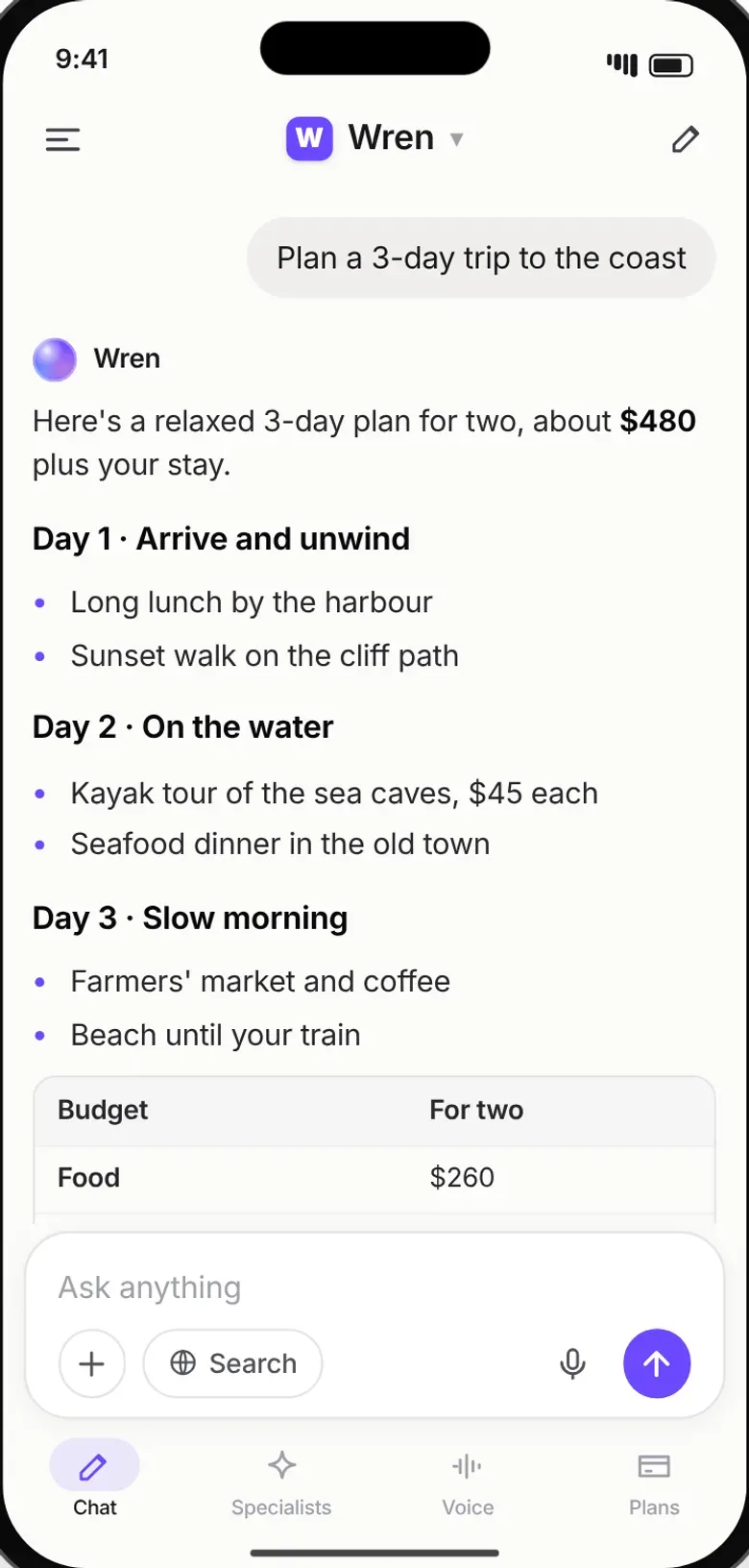
- iPhone, Android and web
- Chat, voice and photos
- Your own assistants
- Subscriptions and credits
- Your own knowledge
Live demo
Try it now. Put your logo on it.
This is the app, working. Type your business name, add your logo and pick your colour, then use it the way your customers, your team and you would.
Your name and logo stay on your screen. Nothing is uploaded or saved.
Tap anything. Book, order, chat: it all works.
How you get your app
Quoted for your business.
Every app is quoted for the business it's for, with anything you want added. Three steps, and nothing starts until you agree.
Tell us what you need
Your business, the app you tried and anything you'd add or change.
We send you a proposal
What your app will have, how it looks under your brand and when it can be live.
Then a written quote
The price in writing, and an invoice when you decide to go ahead.
Once you go ahead, your app is live in about 7 to 14 days, depending on the app store review.
Ready-made. Your brand. Live in 7 to 14 days.
The app is built and working: put your name and logo on it and launch it as your own. Need something only your business has? We add it. Tell us what you need and we send you a proposal and a written quote.
Ready now
The app is built and working today. We set it up with your brand and settings and publish it in about 7 to 14 days.
Quoted for your business
Tell us what you need. We send you a proposal, then a written quote. Nothing starts until you agree.
Under your name
Your logo, your name, your own Apple and Google accounts. Your customers and their data are yours.
Try it first
Use the live demo right here, with your own name and logo on it, before you decide anything.
One system, a part for everyone
Your users get the assistant. You get the controls: which AI answers, what it knows, what it costs and who pays.
The AI app
The assistant in their pocket.
- Chat, voice and photo questions
- Built-in assistants for every job
- History, favourites and sharing
Admin console
Where you run the business.
- Choose the AI model and its rules
- Add assistants and your own documents
- Plans, credits, users and costs
Web version
The same assistant in a browser.
- Your own address
- Sign-up and payment pages
- Shareable answers
One app or separate apps: your choice
Everything above can be built as a single app or as separate apps. Both run on the same system and do the same things.
A single app
Everyone downloads the same app and signs in. Customers see the customer screens; your staff, drivers or riders see theirs. One store listing, one app to keep up to date, and simpler to put together.
Separate apps
Your customers get their own app with its own store listing, and your team gets theirs. Each app shows only what that person needs.
Either way, you run the business from a dashboard in any web browser. Not sure which suits you? Tell us how you work and we'll recommend one.
What users expect from an AI app
Everything people now use AI apps for, under your brand instead of someone else's.
Chat
Fast, formatted answers with the conversation kept, renamed and searchable.
Assistants
Built-in assistants for writing, study, business, travel and more, each with its own rules.
Your own knowledge
Upload your documents, menus or manuals and an assistant answers from them.
Photos and files
Users send a photo or a file and ask about it.
Voice
Ask out loud and hear the answer, hands-free.
Subscriptions and credits
Free, monthly and yearly plans, credit packs, and in-app or web payment.
Safety rules
Topics to refuse, words to block and limits per user, set by you.
Choice of AI
Switch the model behind each assistant as better or cheaper ones arrive.
Usage and cost
What each user asks and what it costs you, so plans stay profitable.
Languages
The app in as many languages as you need, and answers in the user's language.
Everything your AI chat app can have
Modelled on the AI chat apps people already use every day. Choose what you need at launch and what comes later; we build it, and add anything only you have.
Chat and answers
- Fast, formatted answers as they are written
- Chat history, search and folders
- Rename, pin and delete chats
- Edit a question and regenerate the answer
- Web search with linked sources
- Deep research reports on any topic
- Tables, code blocks and maths
- Suggested follow-up questions
- Answers in the user's language
- Temporary chats that are not saved
Voice, images and files
- Voice mode for spoken conversation
- Dictation and read-aloud answers
- Ask about a photo or screenshot
- Upload PDFs, documents and spreadsheets
- Summaries of long documents
- Charts and analysis from data files
- Image generation from a description
- Image editing by instruction
- Live camera questions
Assistants and projects
- Built-in assistants for common jobs
- Users build their own assistants
- Assistant library to browse and share
- Projects with their own files and instructions
- Custom instructions for every chat
- Memory of user preferences
- Memory users can view and clear
- Side-by-side editor for writing and code
- Scheduled tasks and reminders
Sharing and teams
- Share a chat by link
- Export answers to PDF or a document
- Team workspaces with shared assistants
- Shared projects and knowledge for teams
- Seats and roles for business accounts
- Single sign-on for companies
- Usage reports for each team
- Admin controls over data and history
Money
- Free plan with daily limits
- Monthly and yearly subscriptions
- Credit packs for heavy use
- Business and team plans
- Apple Pay, Google Pay and local wallets
- In-app purchases and card payments
- Free trials and promo codes
- Rewards for inviting friends
- API access for developers
Admin and safety
- Choose and switch AI models
- Your own documents as a knowledge base
- Topics to refuse and words to block
- Limits per user and per plan
- Usage and cost for each user
- Content moderation and reports
- Settings for younger users
- Thumbs up and down on answers
- Connections to your website and systems
- App in several languages
How an AI app earns
The same ways the big AI apps earn, on an app that is yours.
Monthly subscriptions
A free plan to start, and a paid plan for more questions, voice and the best assistants.
Credit packs
Users buy credits for heavy use, and you set what each answer costs them.
Business accounts
Sell seats to companies, with an assistant trained on their own documents.
Costs you control
Limits per plan and a choice of model keep each user worth more than they cost.
Launching in four steps
We set it up and publish it. You bring the users.
- 01
Talk
Who it is for, the assistants it offers and how you want to charge.
- 02
Set up
Your brand, assistants, knowledge, plans and payment account, configured by us.
- 03
Test
You and your team try every assistant before anyone else does.
- 04
Launch
The app submitted to Apple and Google under your accounts, and the web version live.
- Pick your app and tell us about your business
- We send you a proposal, then a written quote
- Send us your logo and colours
- We set it up and publish it in the App Store and Google Play under your name
- Want something extra? It goes in the same proposal and quote
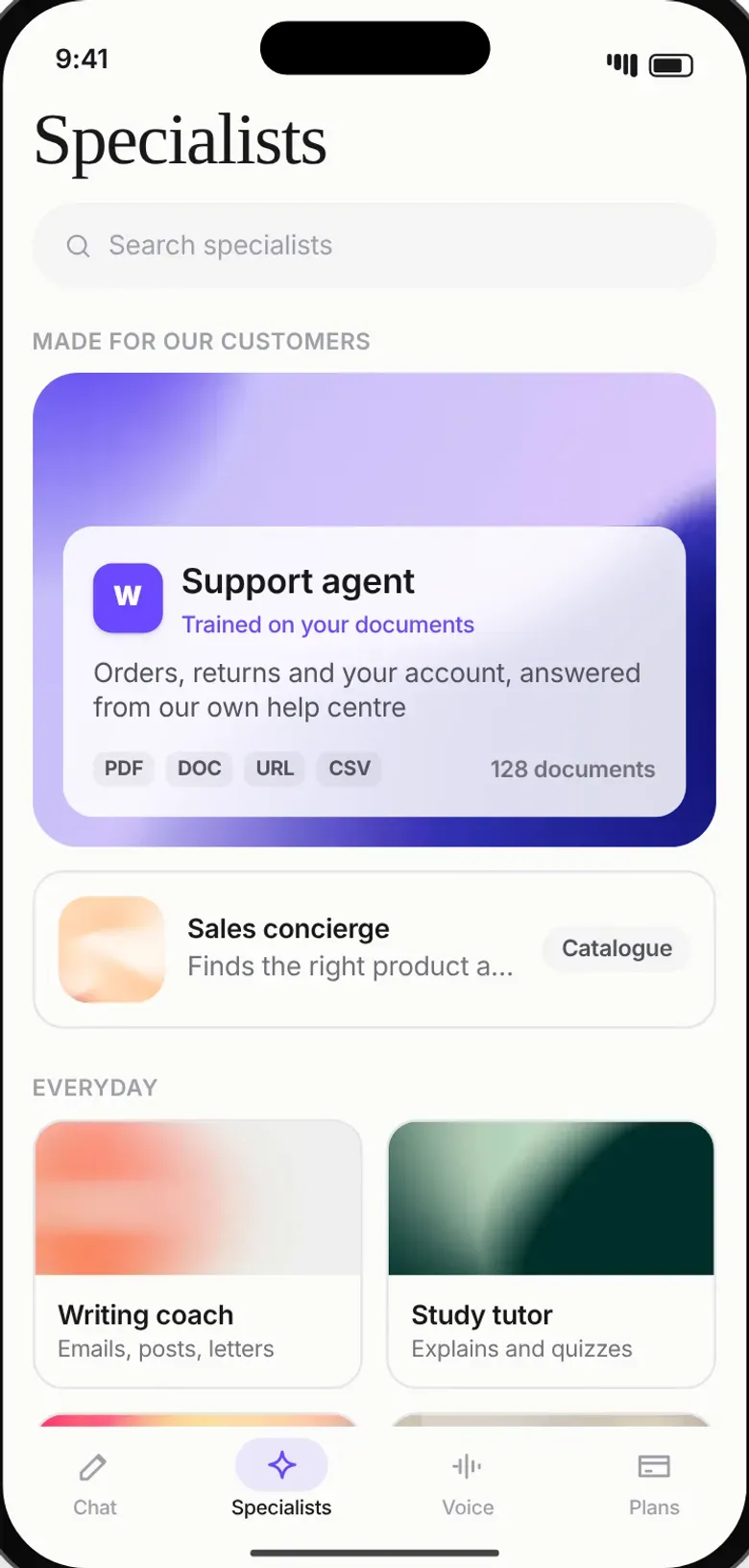
Your AI, your brand
Users talk to your assistant and keep your app on their phone. This is where your logo goes.
- The app under your own Apple and Google developer accounts.
- Your logo, colours, name and the assistant's own personality.
- Users, conversations and payments are yours, and stay yours.
- No mention of Baal anywhere a user can see.
Have a bigger idea?
An AI tutor, an AI for one profession, an AI inside your own product: whatever the idea, we build it around you.
Your own features
Tools, workflows and screens only your app has.
Connections
Your website, your systems and the services your users already use.
Your data, always
Users, conversations and payments export at any time.
Frequently asked questions
Yes, right on this page. The live demo is the app working: put your own name, logo and colour on it, and use every part of it, as a customer, as your team and as the owner.
Every app is quoted for your business. Tell us what you need and we send you a proposal, then a written quote, and an invoice when you go ahead. Nothing starts until you agree.
Setting it up takes about 7 to 14 days. Most of that is waiting for Apple and Google to review the app, which we can't speed up.
Yes. The app goes into your own Apple and Google developer accounts, with your name, logo and colours, and the assistant speaks as your brand.
You choose from the leading AI models, and you can change the model behind each assistant later as better or cheaper ones arrive.
Yes. Upload documents, menus, price lists or manuals and an assistant answers from them.
Subscriptions, credit packs and business accounts, paid in the app or on the web through your own payment accounts.
The AI provider bills your own account for usage, and you set limits per plan so each user brings in more than they cost.
As many as you need. The app runs in every language you choose, and the assistant answers in the language the user writes in.
It does what people look for in a ChatGPT clone, with chat, voice and built-in assistants, but it is not a copied script: it is built around your own knowledge and customers, under your own name and logo.
The website to go with it
Want the website too?
Your own website for the same business, with its own live demo. It shares the app's bookings, orders and customers, so you run both from one place.
AI assistant website
Your assistant answering on your home page from your own content, with your plans, use cases and sign-up, under your own name.
See the website
An assistant for your business
An assistant that answers your customers, from your own content
Add your pages and documents and it answers at any hour. Your team takes over whenever it matters.
- ✓Answers show their source
- ✓Hand-over to a person
- ✓Multi-language
Ask us anything
● Answers from our help articles
How do I put it on my website?
Copy one short code from your dashboard and paste it on any page. The chat window appears in your colours.
- 1Open Settings
- 2Copy the code
- 3Paste it on a page
↗ Source: Getting started guide · Step 3
 Talk to a person
What it does
See all →
Customer support
Orders, returns and accounts

Sales
Finds the right product

Bookings and guests
Free times and questions

Staff questions
Policies and handbooks
How it works
- 1
Add
Pages, documents and help articles
- 2
Check
Your team tests the answers first
- 3
Go live
On your website and your chat
- A person checks wherever it matters.
Other ready-made apps
- Community app
- Dating app
- Video app
- Taxi app
- Travel app
- Hotel booking app
- Holiday rental app
- Spa & salon app
- Clinic app
- Hotel guest app
- Restaurant & café app
- Gym & fitness app
- School & tutoring app
- Online shop app
- Marketplace app
- Food delivery app
- Hair salon & barber app
- Pharmacy app
- Car & motorbike rental app
- Laundry & dry cleaning app
- Real estate app
- Tour & travel agency app
- Garage & car wash app
- Events and tickets app
- Competition app
- Car dealer app
- Charity app
- Construction app
- Law firm app
Ready to build something?
Want a ready-made app? Pick it, tell us your business name and you can be live in about 7 to 14 days. Something custom? Tell us about it on WhatsApp or Telegram and we send you a proposal and a written quote.